

For authors & bloggers
Write like it's yours. Publish like it matters.
Reola is for authors and bloggers who want the page to feel like a quiet desk—not a dashboard.
Posts are markdown files with frontmatter. Nothing lives anywhere you can't see it.
“A place where writing feels intentional again.”
“The calm of a blank page, the certainty of Git.”
“For bloggers who still believe in the craft.”
The product
Built for Git-backed sites—not generic CMS dashboards
Every screen maps to a concrete job: write, optimize media, publish to Git, and confirm your CDN picked it up.
Writing
A Notion-like editor—not a markdown textarea
Block-based writing with embedded media. Paste a full-resolution photo; Reola converts, resizes, and names it before anything lands in your repo.
- Editor, Raw, and Preview in one tab bar
- Resources panel: WebP, resize (0.5× / 2×), quality per asset
- Live page weight so you see LCP impact before publish

Content hub
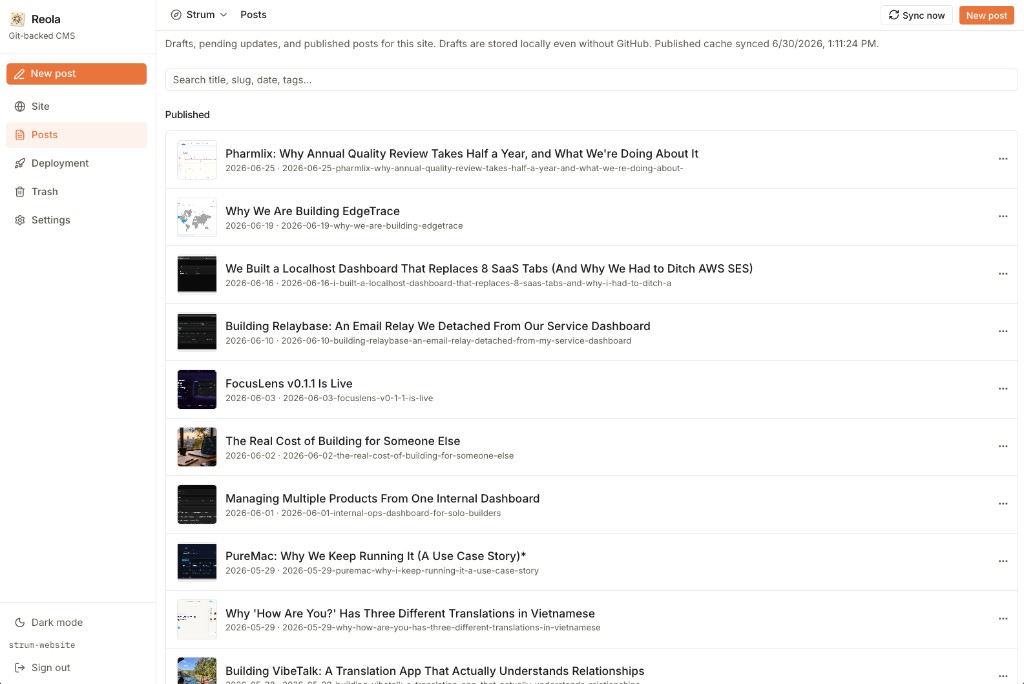
Drafts, updates, and published—one searchable list
Drafts stay local, even offline. Published posts sync from GitHub. Pending revisions sit between the two, clearly labeled so nothing gets lost.
- Separate sections for updates, drafts, and published
- Search by title, slug, date, or tags
- Thumbnails and slugs visible at a glance
Publishing
Ship multiple posts in a single Git push
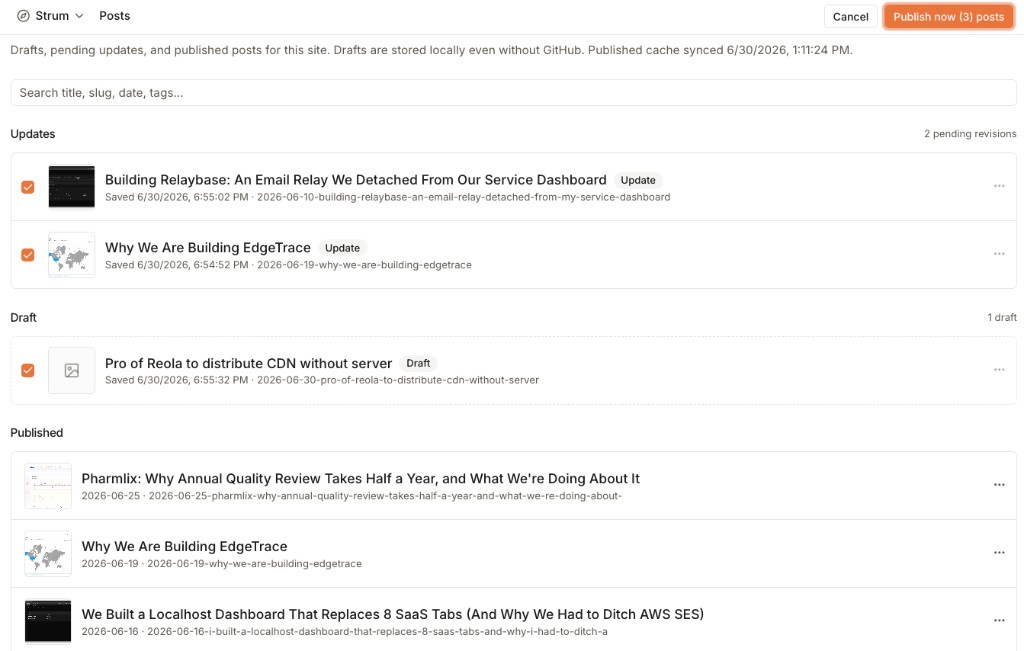
Select drafts and pending updates, hit Publish—and Reola commits everything in one push. One commit, one deploy cycle, no repetitive clicks.
- Bulk-select across drafts and pending updates
- Single commit to your configured branch
- Ideal for batching changelog weeks or content sprints
Git + CDN
Deployment status—without opening GitHub
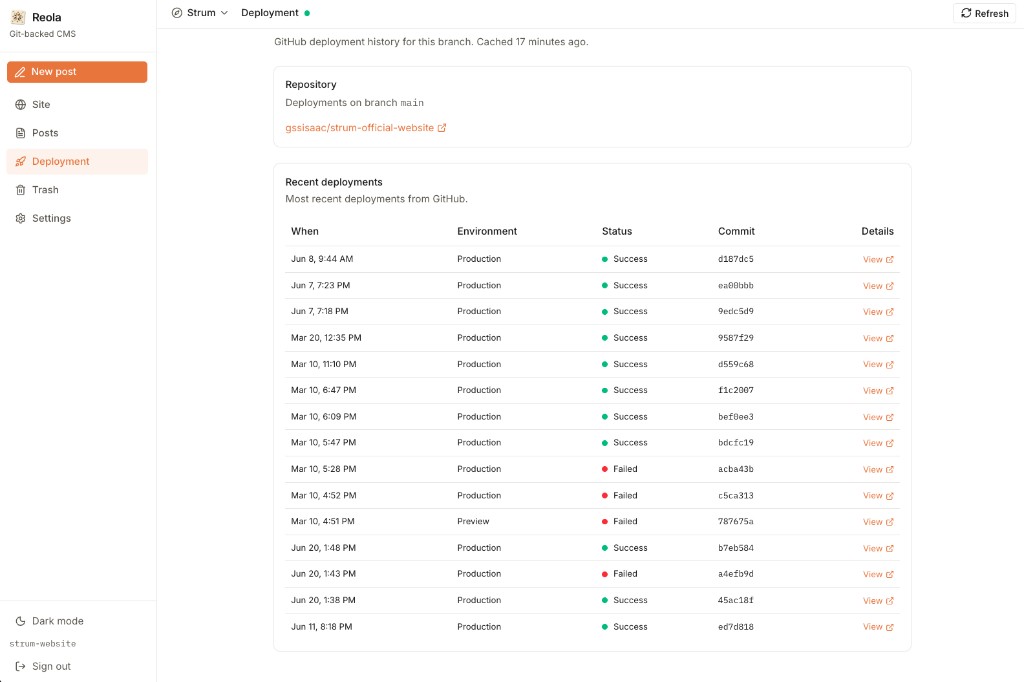
After publish, Reola surfaces deployment history from your repo. Cloudflare, Vercel, or GitHub Actions—see which commit is live and which build failed.
- Production and preview environments in one table
- Commit SHA linked to every deployment
- Your CDN builds from Git—Reola never hosts your content
The problem
When publishing feels like paperwork
Traditional CMS products store content in proprietary databases. Authors lose the feeling of ownership; teams lose the thread between what was written and what shipped.
Teams that already deploy from Git still end up copying content by hand or maintaining brittle export scripts.
What Reola does
A friendly editor that commits to GitHub
Authors create and update blog posts in a modern UI, then publish straight to your repository—the same repo your static site or app already builds from.
- Posts are markdown files with frontmatter.
- Images and media live next to each post in the repo.
- Deploy progress is visible via GitHub Actions.
How it works
From draft to deploy, nothing leaves your repo
Reola is the editor and publish button—not the hosting layer. Your site keeps building the way it already does.
Write
Authors create and edit posts in a calm, focused UI—WYSIWYG markdown, raw mode, and live preview.
Publish
One click commits markdown and media to your configured branch on GitHub.
Commit
Posts land as files in your repo—reviewable in PRs, diffable like any code change.
Deploy
Your existing GitHub Actions pipeline builds and ships. Progress is visible in Reola.
Key features
Everything a serious writer needs—nothing that gets in the way
Reola App for site owners. Reola Admin for operators. Both are web apps—no desktop install.

Writing experience
Posts
Searchable list of everything in the repo.
Create & edit
WYSIWYG markdown, raw markdown, and live preview.
Media
Attach images and video; optional WebP optimization; import from URL.

Git-native publishing
One-click publish
Commits to your configured branch on GitHub.
File layout
Posts stored as `{contentDir}/{slug}/content.md`—default `public/{slug}/content.md`.
Full Git history
Roll back, diff, and review like any other code change.

Operations
Progress
Track GitHub Actions runs after publish.
Settings
Repo, branch, content paths; global or per-repo GitHub token.
Admin dashboard
Service health, registered sites, user list.
Why Reola
Built for writers who care where their words live
Your posts stay in version control—reviewable in PRs, deployable with existing CI—while the writing itself feels like sitting down at a desk.
Getting value quickly
If your site rebuilds on push to main, Reola adds zero new deploy infrastructure
Only a better way to get content onto that branch.
- 1
Connect a GitHub token in admin.
- 2
Register a site id and link it to your marketing repo.
- 3
Publish a post and confirm it appears on your branch.
- 4
Let your existing deploy pipeline ship it.
Current scope (v0.1)
Reola today is an internal-style dev product: file-based configuration, simple site-id sign-in, and GitHub as the single source of truth.
Built for teams already comfortable with GitHub-backed sites who want a dedicated editor without adopting a full headless CMS platform.