
2026-07-01
Building Free Serverless Blog system with Github + CDN
Do You Really Need a Server to Run a Blog?
Many people think you need a server to run a blog. They naturally assume you need to pay for WordPress hosting, rent a server from AWS or Cafe24, connect a domain, and set up a database.
However, the truth is you can create a blog system deployed worldwide completely free without any of these steps. You only need two things: Github (free) and Vercel or Cloudflare (free for regular users). With just this combination, you can deploy web content to a Global CDN without a server.
The problem is that while the principle of this combination is simple, actually setting it up and integrating it with a good editing environment is more complicated than expected. Creating a website can be quickly solved with Cursor or Claude Code, but building a CMS for continuously managing content is a completely different issue.
How a Free GitHub + CDN Blog System Works
The core principle of this system can be summarized in one sentence:
Upload markdown files in
.mdformat and resource files like images and videos to Github, and the CDN distributes them statically worldwide.
In other words, you don't need a database or backend server. Content is just files, Github is a repository and version control system, and Vercel or Cloudflare build those files and distribute them to edge servers worldwide. Since visitors receive pages from the nearest CDN node regardless of their location, loading speed is fast.
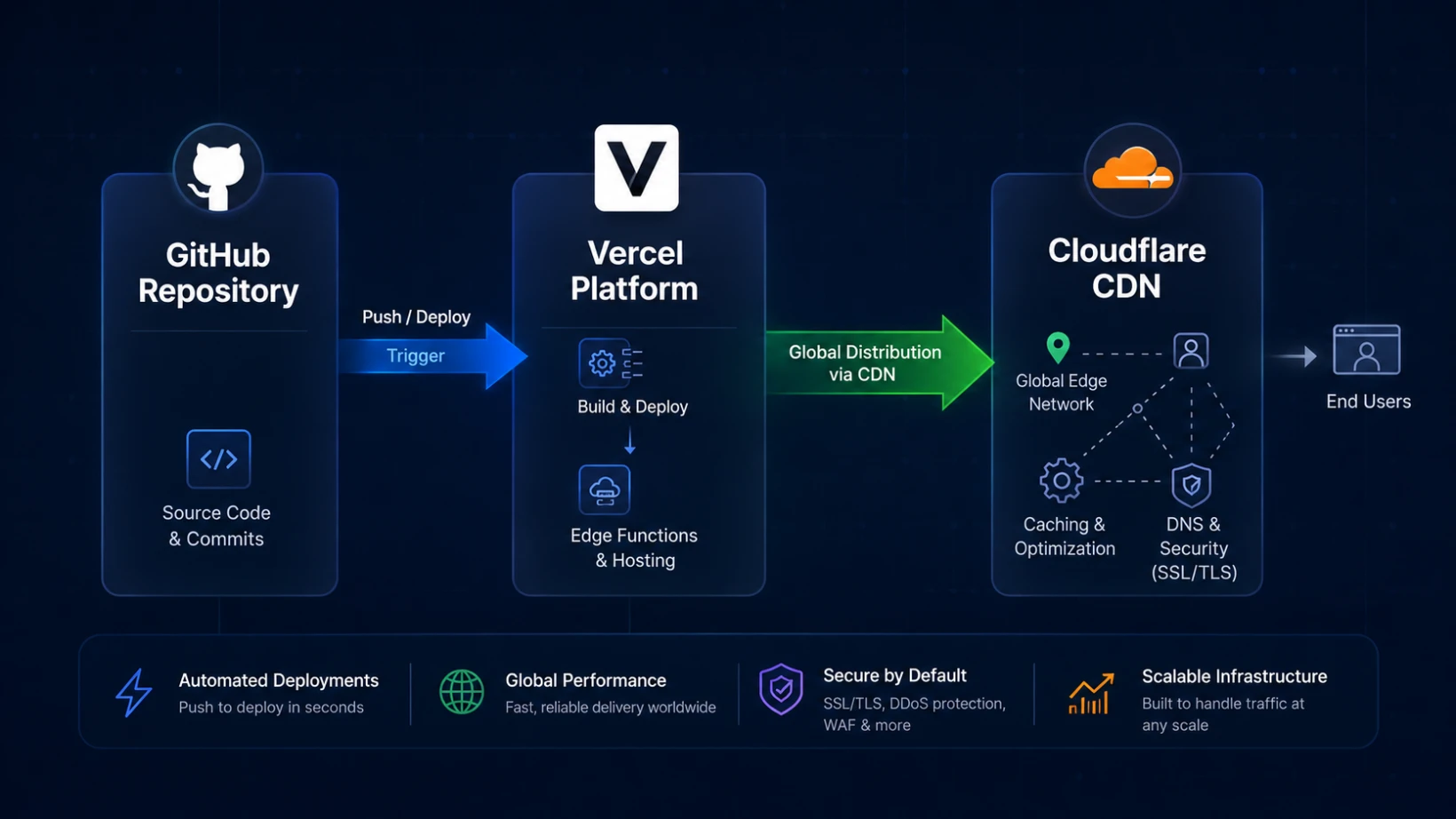
Building this structure directly isn't impossible with AI coding tools like Cursor or Claude Code. You can create code to attach a markdown parser, commit files via Github API, and connect deployment hooks in a matter of days.
The Problems With a DIY GitHub + CDN Blog
However, when you actually build and use such a system, there are practical issues that continue to cause headaches separate from the coding itself.
1. Image optimization problem. Every time you upload an image to your blog, you have to manually resize it and compress it to formats like webp. If you don't, page loading speed suffers and CDN traffic increases accordingly.
2. SEO-friendly filename problem. If you upload files with names like IMG_2938.png as is, it doesn't help with search engine optimization at all. You need to change them to meaningful names related to the content every time, which is surprisingly tedious to keep track of.
3. Abandoned file problem. When you edit posts or replace images, old files remain in the repository. Over time, it becomes impossible to distinguish which files are actually being used and which are dead files.
Ultimately, distributing content to a CDN without a server is free, but providing a "convenient and sustainable" CMS experience is a different matter entirely.
Reola: A CMS Built to Fix These Problems
Reola is what I built to solve these problems directly. I started this project while managing the CMS for multiple sites I operate, aiming to eliminate the inconveniences I experienced, and now it's available as a free desktop app for anyone.
The main features Reola supports are as follows:
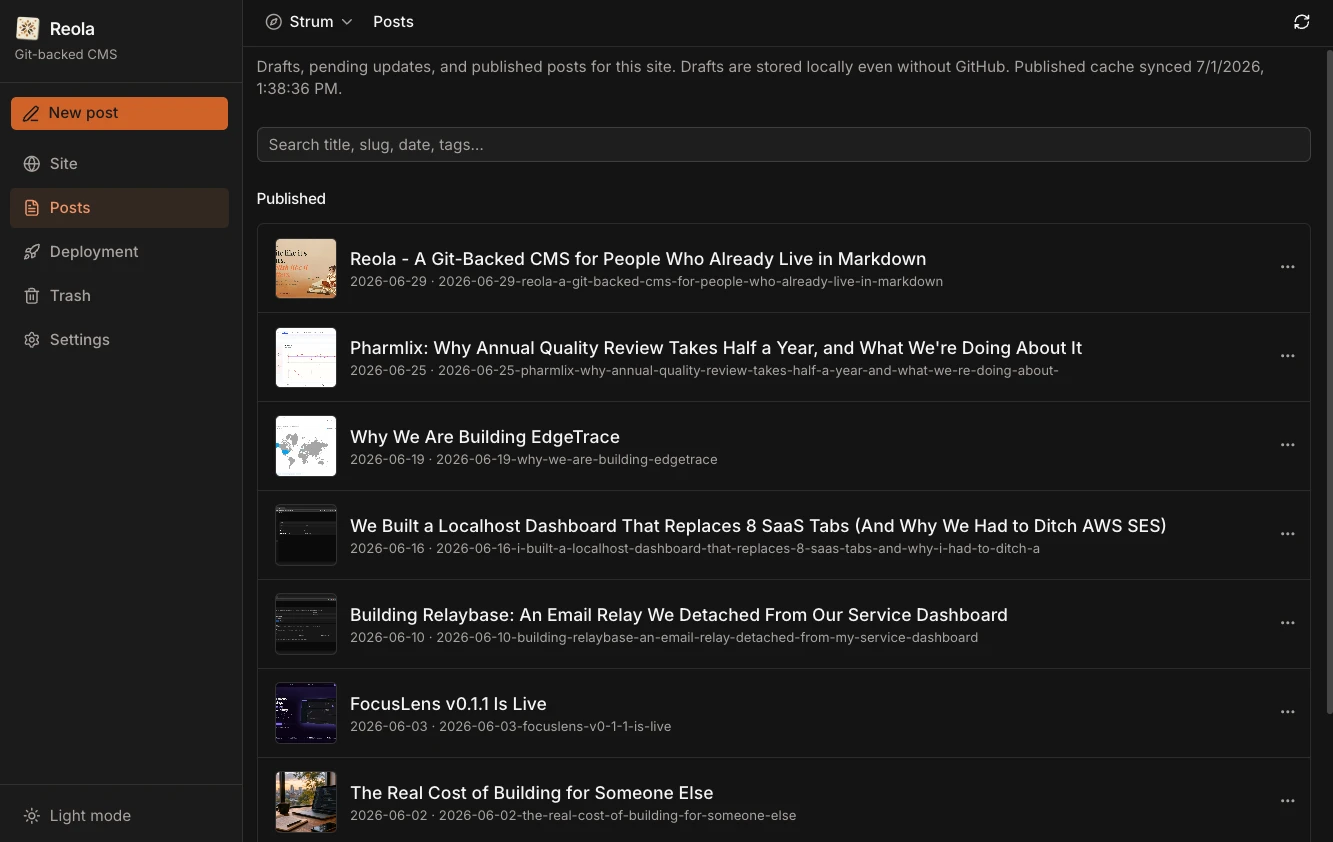
- Notion-style markdown editor. Provides an editing experience based on the BlackNote engine, so you can write intuitively without knowing markdown syntax.
- Automatic image compression. When you paste an image, it's automatically resized and converted to webp according to your specified compression method.
- SEO content size indicator. You can check the total content size and refine your writing in an SEO-friendly format.
- Local history feature. Track changes and restore previous versions if needed.
- Automatic video compression. Even if you upload raw video, it's automatically compressed internally to reduce the amount uploaded to the CDN.
- Git integration publishing and deployment tracking. Publish directly to your connected Github repository and monitor CDN deployment status in real-time.
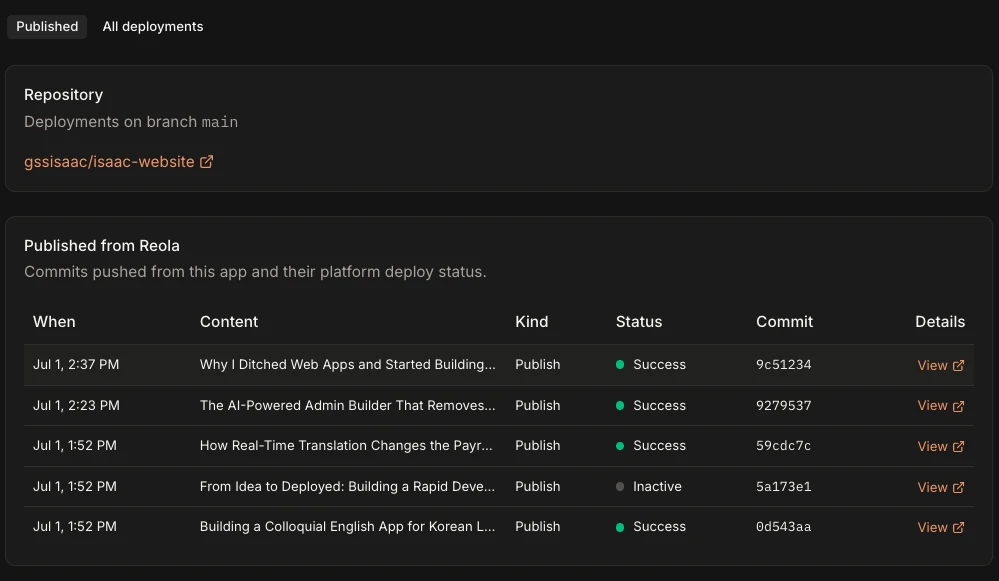
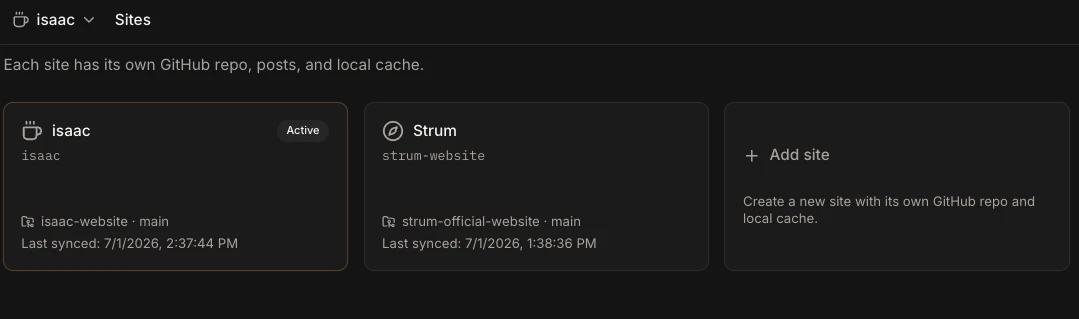
- Multi-site management. Manage CMS for multiple sites integrated in one app.
How to Connect a Custom Domain to Your GitHub + CDN Blog
The content distribution system itself is complete with just Reola, Github, and CDN, but if you want to use your own domain, you can purchase and connect it through Vercel or Cloudflare. This process takes only a few minutes on each platform's dashboard, so it's not particularly difficult.
Summary
Operating a fast-loading blog worldwide without server costs, database management, or complex deployment pipelines is an option that surprisingly many people overlook. The Github and CDN combination has been possible for a long time, but the real obstacle was the lack of conveniently usable editing tools.
Reola was created to remove that barrier. With just a Github account and Vercel or Cloudflare account, anyone can use it for free, and it automates the repetitive inconveniences encountered in CMS operations, from image compression to SEO filenames and abandoned file management.
If you want to run a content-focused site without operating your own server, I recommend checking it out at getreola.com.